iPHONE INDICATOR DOTS EXPLAINED! 🍎🔍#iPhoneTips #AppleTips #iOSTips #TechFacts#shorts#trendingshorts
📱 iPHONE INDICATOR DOTS EXPLAINED! 🍎🔍
Did you know what those tiny colored dots on your iPhone mean? 🤔
These indicator lights help you understand when apps are accessing certain features of your iPhone. 🚀
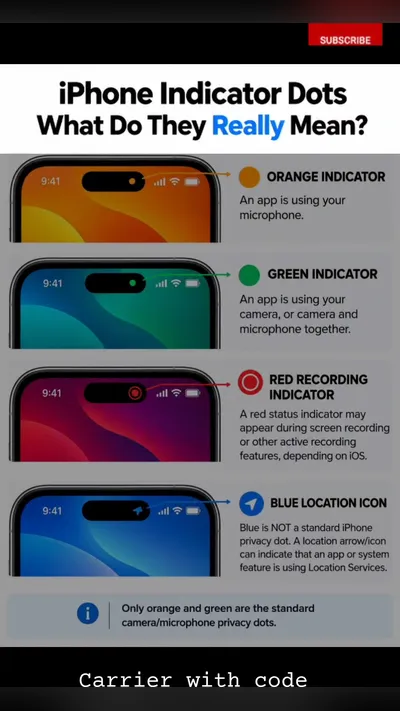
🟠 Orange Dot: An app is using your microphone. 🎙️
🟢 Green Dot: An app is using your camera (sometimes along with the microphone). 📸
🔴 Red Dot: May indicate screen recording or recording-related activity, depending on the iOS version and feature. 🔴
🔵 Blue Indicator: Can appear when certain system features or apps are actively using location services. 📍
💡 Pro Tip: If you notice an indicator unexpectedly, check your iPhone's Control Center to see which app recently accessed your camera or microphone. You can also review app permissions in Settings.
🔥 Save this post for future reference and share it with your tech-loving friends!
👇 Comment below: Which iPhone feature did you learn about today?
#iPhoneTips #AppleTips #iOSTips #TechFacts #iPhoneHacks #Technology #PrivacyTips #TechKnowledge #MobileTips #Programming
- Posted
- 29 Oct 2026
- Their usual
- Not measured yet
- Found
- 17h ago